Save and Share Search
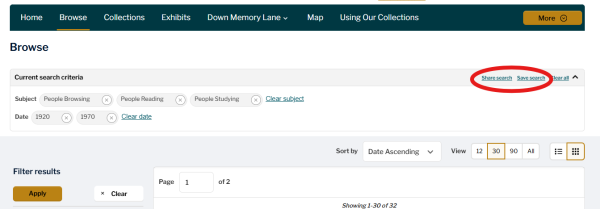
Use the My Account 'Save Search' feature to record your search parameters and easily rerun your query at a later date. You can find the Save Search feature in the upper right-hand corner of any current search criteria box. This appears above an Assets List after a search is applied.
Saved Searches can then be accessed via My Account, provided the user has created an account (see details above on how to do this).
Similarly, My Account also provides a 'Share Search' function. At the top of the search results list, to the right of the search criteria box, a 'Share Search button' will be visible. Clicking that button opens a Share Search pop-up that provides a unique URL for that search list, enabling collaborative work or research. For example, librarians could share a search with researchers, students could share a search with peers, or teachers may find it helpful to share list results with students when setting an essay on a set selection of materials.
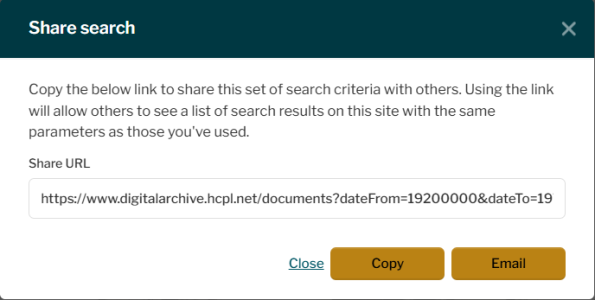
A pop-up offers users the option to copy a link to these results or email them directly to anyone else. No account is required to use the Share Search feature.
Save and Share Search
Use the My Account 'Save Search' feature to record your search parameters and easily rerun your query at a later date. You can find the Save Search feature in the upper right-hand corner of any current search criteria box. This appears above an Assets List after a search is applied.
Saved Searches can then be accessed via My Account, provided the user has created an account (see details above on how to do this).
Similarly, My Account also provides a 'Share Search' function. At the top of the search results list, to the right of the search criteria box, a 'Share Search button' will be visible. Clicking that button opens a Share Search pop-up that provides a unique URL for that search list, enabling collaborative work or research. For example, librarians could share a search with researchers, students could share a search with peers, or teachers may find it helpful to share list results with students when setting an essay on a set selection of materials.
A pop-up offers users the option to copy a link to these results or email them directly to anyone else. No account is required to use the Share Search feature.